
Vrealize Infrastructure Navigator: The Complete Guide to Application Dependency Mapping in VMware
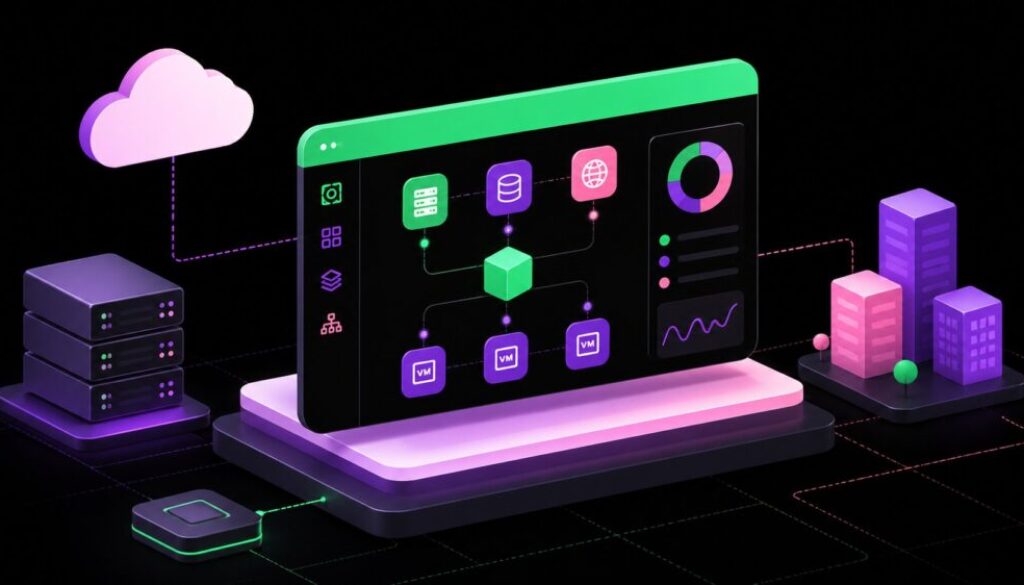
If you have ever managed a large VMware environment, you already know how quickly things get complicated. Virtual machines multiply, applications grow, and before long nobody knows exactly what connects to what. That is the exact problem vRealize Infrastructure Navigator was built to solve. It gives IT teams a clear, visual picture of how applications and services interact inside a virtual environment, making infrastructure management far less of a guessing game.
What Is vRealize Infrastructure Navigator?
vRealize Infrastructure Navigator, commonly called VIN, is a VMware tool designed to automatically discover applications running inside virtual machines and map the dependencies between them. Instead of manually documenting which services talk to which, VIN does the heavy lifting automatically and displays the results in easy-to-read visual maps.
Think of it as a smart lens for your VMware environment. It plugs into vCenter Server and starts scanning your virtual machines within minutes. Once it gets going, administrators can see real-time application topologies directly inside the vSphere Web Client without switching to any external tool.
How Does vRealize Infrastructure Navigator Work?
VIN is deployed as a virtual appliance in OVA format. Once it is powered on and connected to vCenter Server, it begins scanning virtual machines using VMware Tools to detect running services, open ports, and active network communication patterns. The discovery process typically completes its first pass within 10 to 15 minutes.
After discovery, VIN builds dependency maps showing how services communicate across VMs. For example, it can identify that a web server on one VM is talking to a database on another VM over port 1521, and display this as a visual connection. These real-time maps are interactive and clickable, giving admins instant context when they need it.
The tool works at the application layer, which is a level deeper than standard performance monitors. Most monitoring tools tell you a VM is running slow. VIN tells you which application on that VM is communicating with what, helping you understand the full picture rather than just symptoms.
Key Features of vRealize Infrastructure Navigator
VIN comes with a focused set of features that target infrastructure visibility and dependency awareness. Here are the most important ones:
- Automated Application Discovery: VIN scans VMs and identifies running services without requiring any manual input or agent installation beyond VMware Tools.
- Real-Time Dependency Maps: Visual, clickable topology maps show live communication between applications across virtual machines.
- Multi-Tier Application Pattern Recognition: Admins can define application patterns such as web tier, application tier, and database tier, and VIN will find all instances of that pattern in the environment.
- Manual Application Definitions: Teams can create custom application groups to track a specific set of VMs together as a logical unit.
- vCenter Integration: All dependency data is accessible directly from the vSphere Web Client, keeping workflows familiar and centralized.
- vRealize Operations Integration: VIN connects with vROps to feed application context into performance dashboards and compliance reports.
These features work together to reduce blind spots in infrastructure management and help teams move from reactive troubleshooting to proactive planning.
Why Application Dependency Mapping Matters
Modern applications rarely live on a single server. A typical enterprise application might span a web server, an API layer, a caching service, and one or more databases, all running on separate virtual machines. When something breaks or you need to perform maintenance, not knowing those dependencies is risky.
Without dependency mapping, a simple VM restart can cause an unexpected outage somewhere else in the stack. VIN eliminates that risk by showing exactly what will be affected before any change is made. IT teams can review the dependency map, plan accordingly, and avoid unplanned downtime.
This visibility also pays off during audits. Regulations like PCI-DSS and HIPAA require organizations to demonstrate they understand how sensitive data flows through their systems. VIN provides that traceability by documenting which services communicate with each other, giving compliance teams the evidence they need.
Integration With VMware Ecosystem
VIN does not operate in isolation. It is designed to work alongside other VMware products, which makes it a natural fit for organizations already invested in the VMware ecosystem.
Its integration with vRealize Operations Manager is especially valuable. Once connected through the VIN Management Pack, dependency data flows into vROps dashboards. This means administrators can see not just performance metrics but also which applications are involved, making root cause analysis significantly faster.
VIN also works with vCenter Site Recovery Manager. During disaster recovery planning, knowing the full dependency chain of an application is critical. VIN ensures that recovery plans account for all related VMs and services, not just the ones someone remembers off the top of their head.
Installation and Configuration Overview
Setting up VIN involves a few straightforward steps that any VMware administrator can follow. The process begins by downloading the OVA file from VMware’s official repository and deploying it through the vSphere Web Client.
During deployment, you configure basic network settings including IP address, default gateway, and DNS. After powering on the appliance, you connect it to your vCenter Server using administrator credentials and assign a license under the Licensing section of the vSphere Web Client.
Once licensed, you enable VM access through VMware Tools by navigating to the Infrastructure Navigator settings and turning on VM access. From that point, the tool begins discovery automatically. Dependency maps become available in the Application Dependencies tab within individual VM management pages.
Use Cases in Real IT Environments
VIN is useful in a wide range of real-world IT scenarios. Migration projects benefit heavily from it because teams can see exactly which services depend on each other before moving a workload to a new server or data center.
Security teams also find VIN valuable. By reviewing communication maps, they can spot unexpected connections between services, identify applications talking on unusual ports, and flag potential lateral movement risks inside the virtual environment. This kind of visibility is hard to get from traditional network monitoring alone.
Disaster recovery planning is another strong use case. When building recovery sequences, teams need to know the correct order in which VMs should be brought back online. VIN makes this clear by showing the dependency chain, for example, the database must come up before the application tier, which must come up before the web tier.
Deprecation and What Comes Next
It is important to be transparent here. VIN was officially deprecated by VMware in 2017 and is no longer supported in vSphere 7.x and later versions. Organizations still running older vSphere environments may still be using it, but new deployments are not recommended.
VMware replaced VIN with the Service Discovery Management Pack for vRealize Operations. This newer solution offers similar dependency mapping capabilities with better integration into modern VMware management tools and improved support for dynamic cloud environments.
For organizations moving toward VMware Aria Operations, the same application awareness concepts from VIN are carried forward in a more powerful and scalable form. The principles VIN introduced, specifically automated discovery and visual dependency mapping, remain just as relevant today as they were when the tool launched.
Frequently Asked Questions (FAQs)
What is vRealize Infrastructure Navigator used for?
vRealize Infrastructure Navigator is used to automatically discover applications running inside VMware virtual machines and map the dependencies between them. It helps IT teams understand how services communicate, plan infrastructure changes safely, and troubleshoot issues faster.
Does vRealize Infrastructure Navigator require an agent?
No, VIN does not require a dedicated agent. It uses VMware Tools, which are already installed on most managed virtual machines, to collect application and service discovery data.
Is vRealize Infrastructure Navigator still supported?
VIN was officially deprecated by VMware in 2017 and is not supported in vSphere 7.x or newer. Organizations should transition to the Service Discovery Management Pack for vRealize Operations or explore VMware Aria Operations for modern equivalents.
How long does application discovery take in VIN?
After deployment and configuration, VIN typically begins producing application dependency maps within 10 to 15 minutes. Discovery is ongoing, so maps update in real time as services change.
Can VIN integrate with vRealize Operations Manager?
Yes. VIN integrates with vRealize Operations Manager through a dedicated Management Pack. This integration feeds application dependency context into vROps dashboards, enhancing performance analysis and compliance reporting.
What replaced vRealize Infrastructure Navigator?
VMware replaced VIN with the vRealize Operations Service Discovery Management Pack. For newer environments, VMware Aria Operations provides a more advanced and supported version of application visibility and dependency mapping functionality.
Final Thoughts
vRealize Infrastructure Navigator filled a critical gap in VMware environment management when it launched. It brought automated application discovery and visual dependency mapping to infrastructure teams who previously had to piece together that information manually. Even though the product is now retired, its legacy lives on in the tools that replaced it.
If you are running a legacy vSphere environment and still using VIN, it continues to deliver value within its supported scope. But for any new project or modern infrastructure deployment, transitioning to the Service Discovery Management Pack or VMware Aria Operations is the right path forward. The core concept remains the same: you cannot manage what you cannot see, and visibility into application dependencies is non-negotiable in today’s complex IT environments.